Creating Invoice / Tax Receipt

Hotecx Hotel System
You can create an invoice / Tax receipt in our system by following some simple steps here.
Additional: To create any invoices or tax receipts, please make sure that the status of the folio is paid in total.
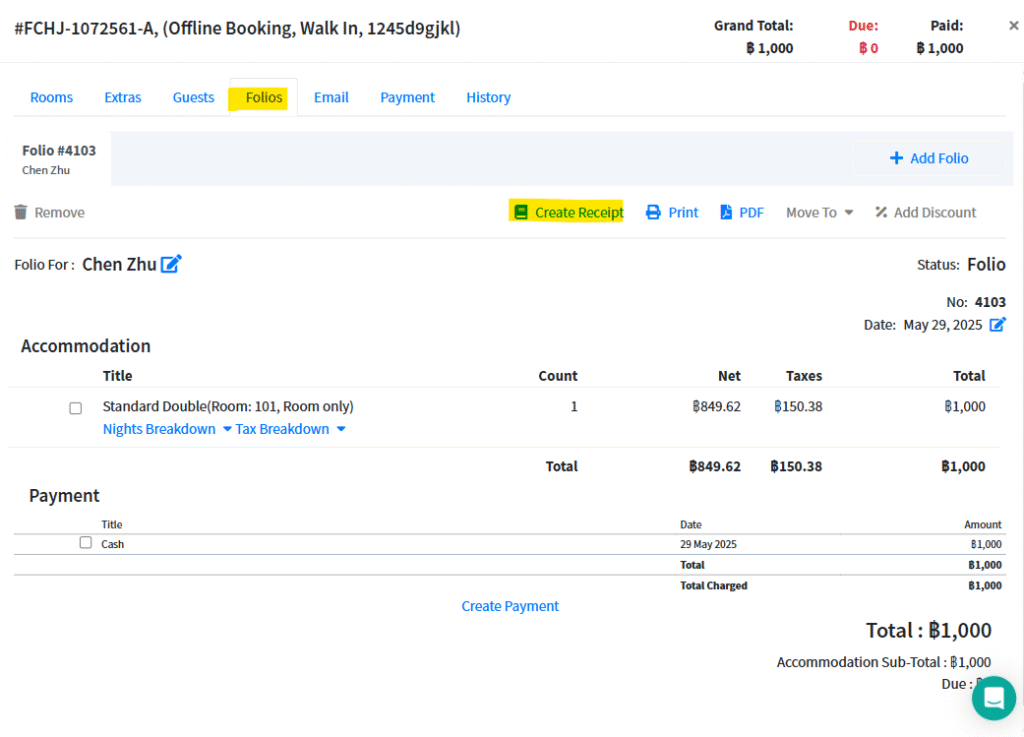
- Go to Bookings > choose “Folio” and notice a green point in front of the folio number (an Easy way to notice the status of the folio in complete)
- Click on “Create Receipt”
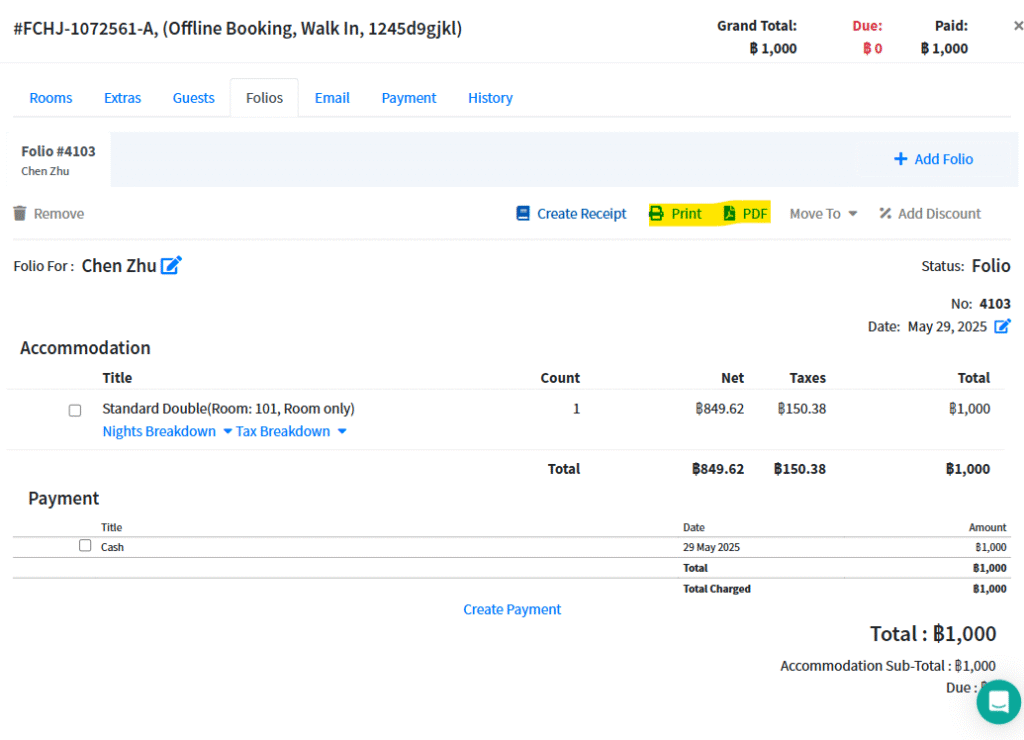
Also, you can change the status to Invoice (depends on the hotel or customer’s preference) and print out, send as an email or export as a PDF file as well.
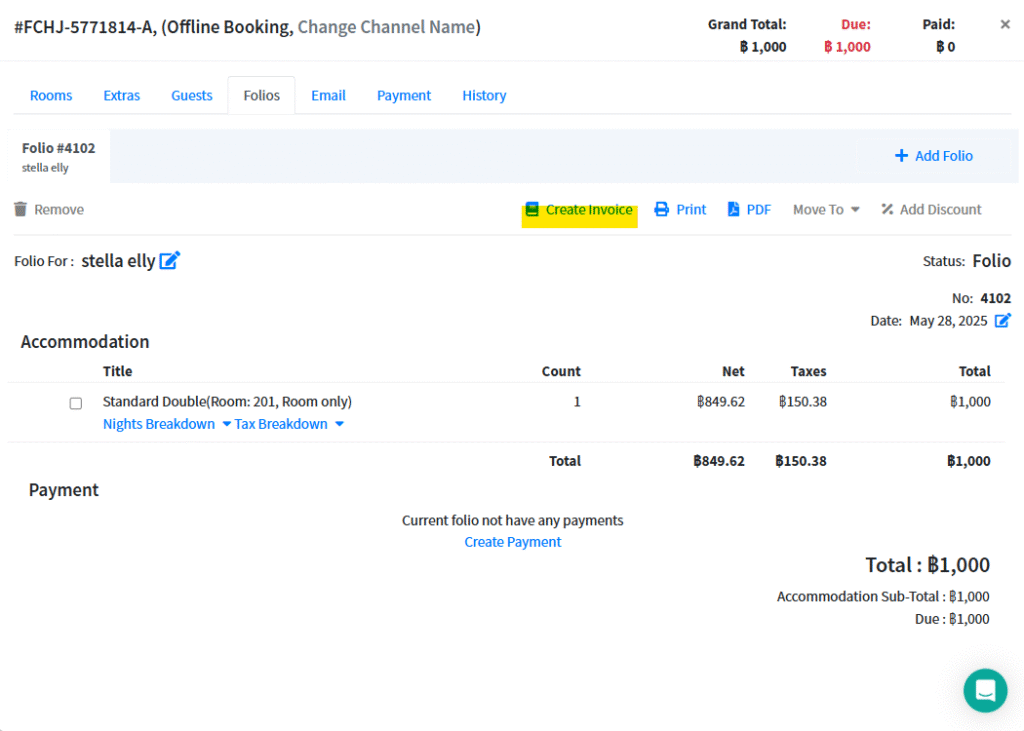
You can click on “create invoice” to change the status without adding any payment.
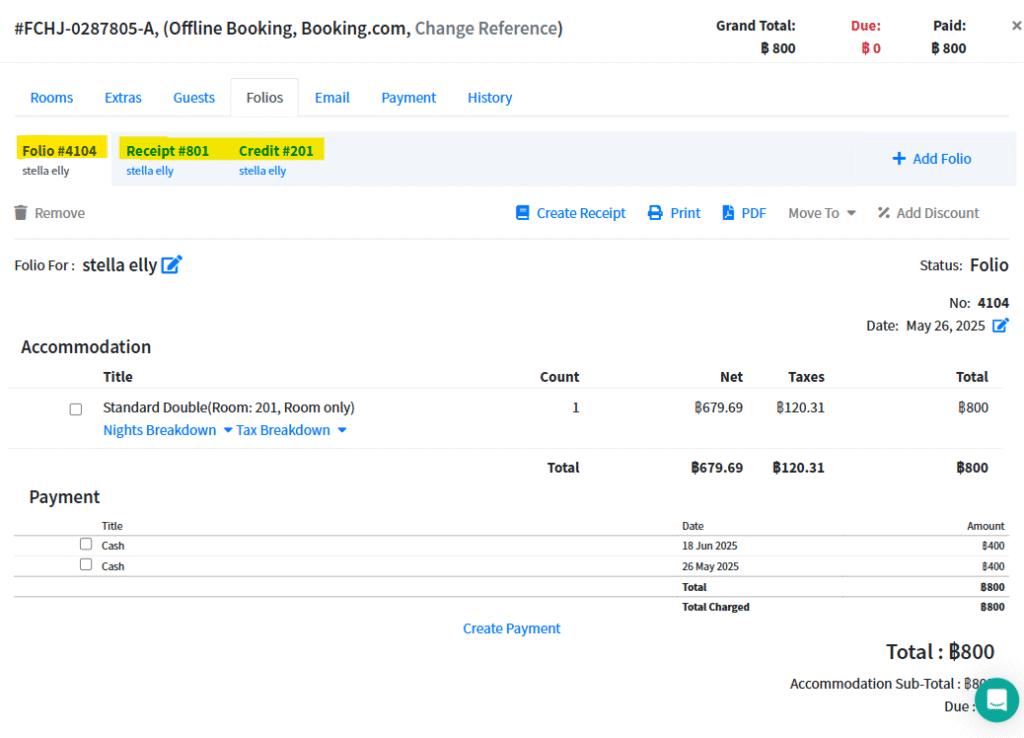
Additional: You can only create a receipt once and are not allowed to edit any details on the receipt. In case of cancellation receipt, you can apply the “credit” function by following the steps below;
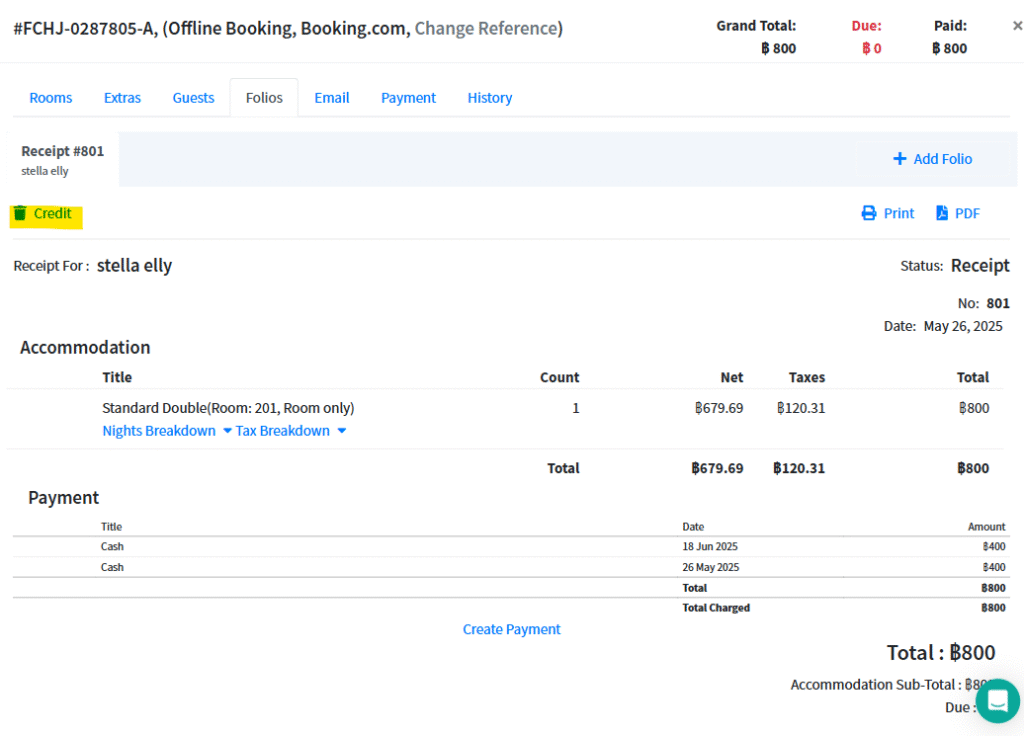
Then the system will generate a new folio, also you can also edit the details. (Credit folio is the old version of the old receipt)